
Blog
How AI Can Digitize a Restaurant Menu in Minutes
Discover how AI can convert a restaurant's existing paper menu into a structured digital menu without manually entering every item.
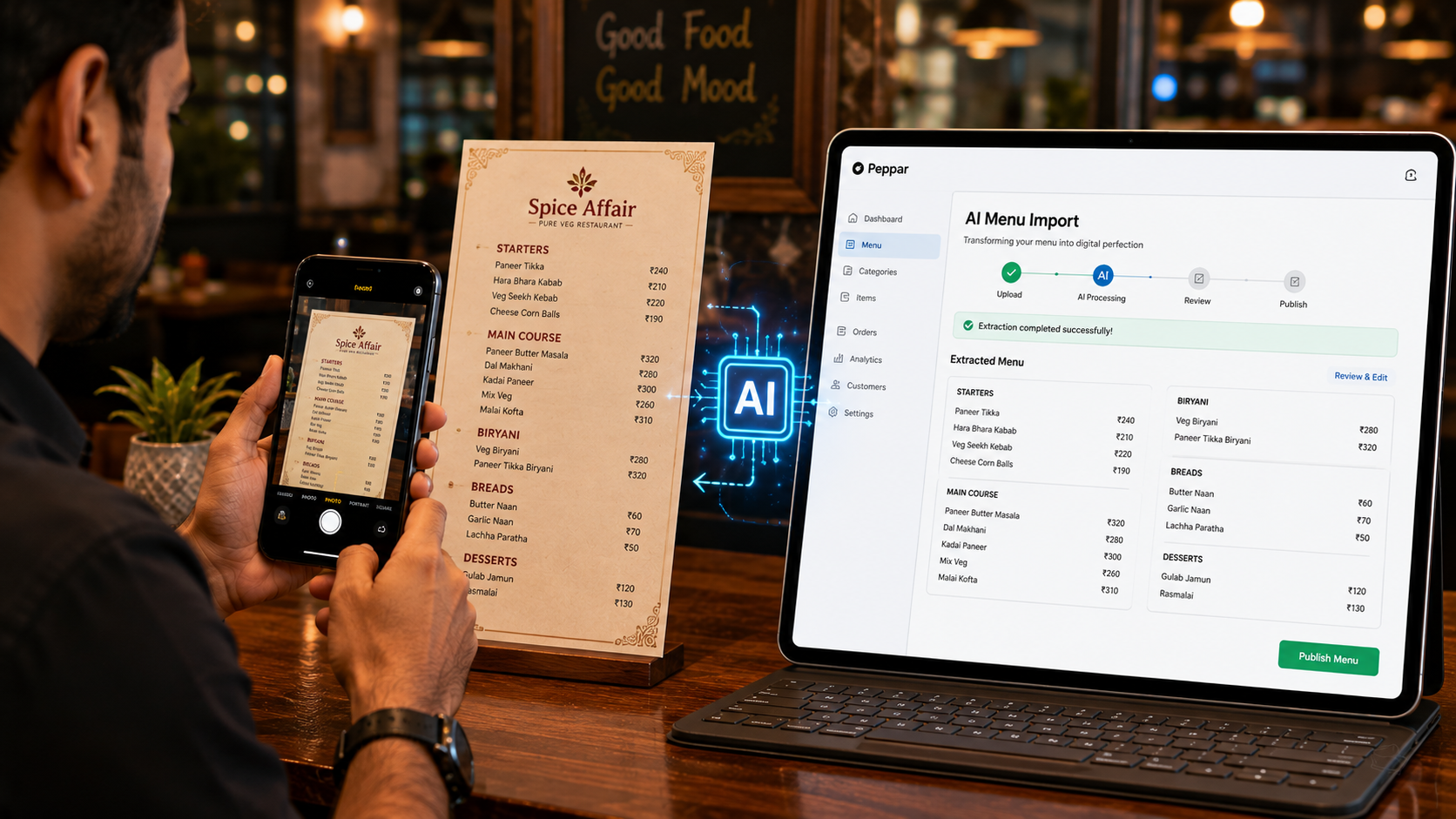
How AI Can Digitize a Restaurant Menu in Minutes
Many restaurant owners want to create a digital menu.
But there is one problem.
They already have a menu.
It may be printed, photographed, stored as a PDF or shared as an image.
Manually entering every category, dish, price and description into a digital system can take hours.
AI can simplify this process.
What is AI menu digitization?
AI menu digitization uses artificial intelligence to understand information from a restaurant menu image or document and convert it into structured digital data.
For example, an image containing:
Starters
Paneer Tikka — ₹249
Chicken Tikka — ₹299
Main Course
Butter Chicken — ₹399
Dal Makhani — ₹299
can be converted into structured menu items.
Instead of manually typing every item, restaurant teams can review the extracted information and publish it digitally.
How does AI menu import work?
A typical workflow looks like this:
Step 1: Photograph the menu
Take a clear photograph of the restaurant's existing menu.
Step 2: Upload it
Upload the image into the menu digitization system.
Step 3: AI reads the menu
The AI identifies:
- Categories
- Item names
- Prices
- Descriptions
- Variants
- Menu structure
Step 4: Review
The restaurant team reviews the extracted information and corrects anything that needs adjustment.
Step 5: Publish
The structured menu can then be published as a digital restaurant menu.
Why is AI menu digitization useful?
Saves manual data entry
Restaurant owners do not have to type every menu item from scratch.
Faster digital transformation
A restaurant can move from a printed menu to a digital menu much faster.
Easier onboarding
Restaurant software providers can onboard restaurants more efficiently.
Useful for large menus
Restaurants with hundreds of menu items can especially benefit from automated extraction.
What should restaurants check after AI import?
AI can make the process faster, but restaurants should always review the final menu.
Check:
- Item names
- Prices
- Spelling
- Categories
- Variants
- Descriptions
- Veg/non-veg labels
- Availability
The restaurant remains the final authority on its menu.
Peppar AI Menu Import
Peppar helps restaurants digitize their existing menu using AI.
Restaurants can photograph their menu and use AI-assisted import to reduce the amount of manual data entry required.
This makes it easier for restaurants to move from a traditional menu to a digital menu and eventually a connected ordering experience.
From a menu photograph to a digital restaurant
The transformation can be simple:
Paper Menu → Photo → AI Import → Digital Menu → QR Code → Online Ordering
What previously required significant manual effort can become a much faster onboarding process.
Final thoughts
AI is not replacing restaurant owners.
It is removing repetitive work.
For restaurant digitization, that means owners can spend less time entering menu data and more time running their business.
Turn your existing menu into a digital menu with Peppar.
Put this into practice with Peppar
Limited-time ₹0 deal for listing and a digital menu. Upgrade later for POS and guest ordering.
contact@peppar.in · +91 733-7876270